You tapped a story. Now your username’s probably sitting in that person’s viewer list, and you’re wondering how to undo it or at least stop it from happening again. Here’s the direct answer: a TikTok story viewer is a third-party website or app that pulls a public account’s active stories and displays them outside the TikTok app, so your own account never registers as a viewer. No login required, no trace left behind — as long as the account is public.
That solves the immediate problem. The harder question is which of these tools are actually safe to use, and that’s what most roundup articles skip.
What Is a TikTok Story Viewer, Exactly?
TikTok stories work on the same 24-hour clock as Instagram’s. Open one inside the app, even briefly, and your username gets logged in a list the creator can see. There’s no toggle in Settings to turn this off — TikTok simply doesn’t offer one, as of this writing.
A story viewer tool sidesteps that by requesting the same publicly available content through a different access point. You paste a username or profile link, the tool fetches the active stories, and you watch them in your browser. Your TikTok account, if you even have one, is never involved in the request.
That’s the whole mechanism. It’s not a hack, and it doesn’t bypass any security protocol — it’s a different door into content that’s already public.
Quick fact: TikTok reported 1.582 billion monthly active users worldwide as of January 2026, according to Backlinko’s TikTok statistics roundup. That scale is a big part of why demand for anonymous viewing tools hasn’t slowed down — more public accounts means more people curious about them without wanting to announce themselves.
Top TikTok Story Viewer Tools Compared
Dozens of sites claim to do this. Most work off the same basic method — public API calls or scraping — with real differences in ads, download quality, and whether they try to upsell you into something else entirely. Below are the ones that consistently work as of mid-2026.
Quick Comparison
| Option | Best For | Key Benefit | Limitation |
| SnapTik | Casual, one-off viewing | Free, no install, HD/4K downloads | Ads on the site; public accounts only |
| Urlebird | Users in TikTok-restricted regions | No VPN needed, browses like a search engine | No private-account access, limited analytics |
| 4K Tokkit | Bulk downloading many stories at once | Desktop app, works offline, 62M+ users (4K Download) | Requires software install; full features are paid |
| TikTok web (logged in) | Verifying what the official app shows | No third-party risk at all | You’re still logged in — your name shows |
SnapTik is the one most people land on first, mostly because it also handles regular video downloads and doesn’t ask for any account details — just a profile link pasted into a search box. Urlebird earns its spot for a narrower reason: it’s genuinely useful if TikTok itself is blocked or restricted where you live, since it works like a read-only mirror. 4K Tokkit is the outlier here — it’s desktop software, not a website, and it’s built by 4K Download, a company with a long track record in media downloading tools rather than a random domain that popped up last year.
Here’s the thing: several “best of” lists (Coruzant’s 2026 roundup is a good example) pad their numbers with tools like Trollishly and StoryViewer.ai, which lean heavily into promoting unrelated growth or engagement services once you land on the page. They’re not necessarily dangerous. They’re just not primarily story viewers — the story-viewing feature is a lead magnet.
Is It Safe? What Most Guides Skip
Most people assume “anonymous” automatically means “risk-free.” The data on that is mixed, honestly — some of these tools genuinely don’t log or store anything, and others quietly run ad networks that track your visit even if they never touch your TikTok account. My read: the risk isn’t usually TikTok banning you. It’s the site itself.
A few things separate a legitimate tool from a scam:
- It never asks for your TikTok username and password together — only a public profile link or handle.
- The site runs on HTTPS, not plain HTTP.
- It doesn’t require installing an app or browser extension just to “unlock” viewing.
If a tool promises access to a private account’s stories without you following them, that’s not a feature — it’s a red flag. TikTok’s own terms around account safety make clear that private content stays private unless the account owner grants access, and no third-party tool can legitimately override that. Sites claiming otherwise are usually phishing for your login credentials or running fake download buttons stuffed with malware.
What most guides also skip: these tools only ever show what’s already public. They can’t reveal who viewed your own story anonymously, they can’t unlock DMs, and they can’t recover expired stories once TikTok’s 24-hour window closes on the platform’s end — not on the viewer tool’s end.
How to View a TikTok Story Anonymously
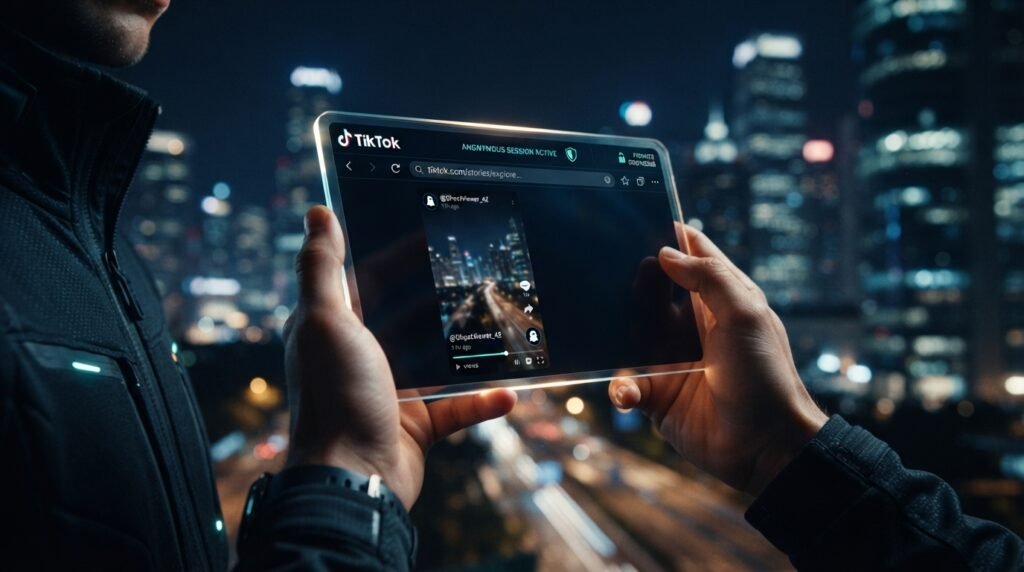
To watch a TikTok story without the creator knowing, follow these steps:
- Copy the profile’s username or link from TikTok.
- Open a trusted story viewer site (SnapTik, Urlebird, etc.).
- Paste the link or username into the search field.
- Tap the story thumbnail to watch, or download it if the tool allows.
That’s the entire process, and it usually takes under a minute once you’ve picked a tool you trust.
SnapTik vs. Urlebird: Which One Should You Use?
SnapTik vs. Urlebird: SnapTik is better suited for downloading stories in HD, Full HD, or 4K because that’s its core focus. Urlebird works better when TikTok itself is geo-restricted or banned where you are, since it functions as a browsing mirror rather than a downloader. The key difference is intent — one’s built for saving content, the other for access.
Turning Off Story Views (Sort Of)
As of 2026, TikTok still doesn’t offer a native switch to stop your username from appearing on someone’s story viewer list once you’ve watched it while logged in. What you can do:
- Create a secondary, generic-username account for casual browsing.
- Go to Settings > Privacy and review your own profile-view visibility, which affects a related but separate setting.
- Use a story viewer tool for anything you’d rather not have tied to your main account.
None of these change TikTok’s core behavior. They just route around it.
Using These Tools Responsibly
Anonymity isn’t a free pass. Using a story viewer to check a competitor’s public marketing, catch up on a friend’s posts, or satisfy plain curiosity is unremarkable and extremely common — plenty of small business owners and marketers do exactly this for research. Using the same tool to monitor an ex or harass someone is a different situation entirely, and no tool changes the ethics of that.
Downloaded content also still belongs to whoever posted it. Saving a story for personal viewing is one thing; reposting it elsewhere without permission is a copyright problem, not just an etiquette one.
This guide covers public-account story viewing through browser-based tools. It does not cover, and won’t help with, accessing private accounts you don’t follow, recovering deleted content, or anything requiring someone’s TikTok password — treat any tool promising those things as a scam.
Frequently Asked Questions
Q: What’s the best TikTok story viewer for downloading stories?
A: SnapTik and TikVid.io are the most cited for free, watermark-free downloads in HD or higher, without needing an account.
How do I view TikTok stories without an account?
Paste the creator’s public profile link into a story viewer tool like SnapTik or Urlebird — no TikTok login needed.
Should I trust sites that ask for my TikTok password?
No. Legitimate story viewers only need a public username or link, never your login credentials.
Why does TikTok show who viewed my story?
TikTok logs viewers by design, similar to Instagram, and currently offers no setting to disable it for your own stories.
When should I use a desktop tool like 4K Tokkit instead of a website?
When you’re downloading stories from many accounts in bulk — desktop tools handle batch downloads that browser-based sites generally don’t.